33 Essential Tips to Film Corporate Events and Conferences That Drive ROI
Key Takeaways
- You will align filming plans with business goals, audiences, and KPIs to ensure the final video delivers brand value and measurable ROI.
- You will prep like a pro with a run of show, venue scout, interview questions, legal permissions, and a gear/audio redundancy plan.
- You will capture stable, well-lit, flicker-free footage using low-light lenses, correct shutter/white balance, and multi-cam coverage with clean audio.
- You will edit faster and better by shooting for the cut, syncing multi-cam with timecode, pacing scenes to the event’s energy, and on-brand motion graphics.
- You will finish strong with color, captions, multi-aspect deliverables, and a distribution plan supported by analytics to prove the video’s impact.
Filming corporate events is a uniquely rewarding challenge. Unlike casual celebrations, conferences and business gatherings are high-stakes brand moments where your video becomes the bridge between the room and the wider world. Your job isn't just to document; it's to shape a story that feels true to the company's voice, energizes stakeholders, and lives on long after the stage lights fade. The guidance below blends production craft with real-world business needs so you can create polished, on-brand videos that win trust and deliver results.
Understanding Corporate Video Production
Corporate video production covers any video a business creates to move people or operations forward. Internally, that includes onboarding, training, recruitment, and leadership communications. Externally, it spans brand films, ads, case studies, product demos, event highlights, and social content. Because expectations are high and timelines are tight, companies often hire specialized agencies or rely on experienced in-house teams to plan, film, and edit efficiently while protecting brand standards and compliance.
The Role of a Corporate Videographer
A corporate videographer is a storyteller, technician, and partner to the brand. You capture live moments, interview executives and customers, and package it all into content that advances a clear goal. On event days, you blend into the crowd while staying three steps ahead of the run of show. Offstage, you collaborate across marketing, comms, and events to ensure the video supports campaigns, sponsorships, and sales enablement. The tips below walk you through preparation, filming, and editing to help you approach every project with finesse and professionalism.
Before the Event: Pre-Production That Sets You Up to Win
1) Align on goals, audience, and KPIs
Start with the business objective so every creative choice has purpose. Clarify the primary audience (attendees, prospects, media, recruits), desired actions (newsletter signups, demo requests), and success metrics (views, watch time, leads). Confirm brand voice, must-include messages, and any off-limits topics.
- Define deliverables and deadlines with sign-off owners.
- Confirm CTAs, landing pages, and sponsorship obligations.
- Collect brand assets: fonts, colors, logo animations, lower-thirds templates.
2) Obtain the event schedule and run of show
Getting the schedule early gives you a roadmap for essential moments. Request the full run of show plus room layouts, session descriptions, stage cues, and media restrictions. Ask organizers which shots are mission-critical—keynotes, panels, demos, VIP arrivals, sponsor activations, and audience interactions—so you never miss the beats that matter.
3) Scout the venue for light, sound, and access
A site visit reveals the realities you'll face on the day. Evaluate ambient light, ceiling height, power availability, stage wash, projector brightness, and signage locations. Note loading docks, security checkpoints, green rooms, and cable runs. Meet the AV lead and align on FOH (front-of-house) audio feeds and stage mics.
4) Build a shot list and story outline
Think like an editor before you roll. Draft sequences you can intercut: arrival and registration, venue exteriors, signage, bustling foyers, speakers, audience reactions, sponsor booths, product demos, networking, and closing moments. For a narrative backbone, plan interviews that connect segments and reinforce brand takeaways.
- Capture establishing shots, wides, mediums, tights, and detail inserts.
- Plan time-lapses for room fills and transitions.
- Pre-plan branded lower thirds and graphic slates to match interviewees and segments.
5) Secure permissions, releases, and privacy signage
Compliance is critical. Ensure you have written permission to film at the venue, model releases for on-camera interviews and testimonials, and posted signage informing attendees of recording. Clarify rules for minors, media embargoes, and GDPR/consent requirements. Confirm music licensing for any in-room playback that could bleed into recordings.
6) Conduct interviews with key speakers
Interviews add depth, context, and continuity to your edit. Schedule speakers and VIPs in advance, prepare 6–8 insightful questions that invite story-rich answers, and choose a quiet, well-lit location that reflects the brand. Capture room tone and secondary angles or cutaways for seamless edits.
- Ask for soundbites tied to outcomes: statistics, lessons, and clear takeaways.
- Get pronunciations and titles right for accurate lower thirds.
7) Define crew roles, comms, and a clear call sheet
Even a small crew runs smoother with structure. Assign a producer, director/DP, camera ops, audio lead, gaffer, and PA as needed. Share a call sheet with contacts, parking, access points, wardrobe guidance, and a channel plan for intercoms or headsets. Align on quiet-on-set etiquette during sessions.
8) Gear checklist and backups
Pack for speed and redundancy. For cameras, bring at least two bodies plus fast primes and f/2.8 zooms (24–70mm, 70–200mm). Add a lightweight tripod, monopod, and gimbal. Include an on-camera LED, soft key for interviews, ND filters, spare media, and more batteries than you think you need.
- Carry tools: multi-tool, gaffer tape, cable ties, power strips, extension cords.
- Have a backup for every mission-critical item: camera, mic, recorder, cables.
9) Design a robust audio plan
Great audio drives perceived video quality. Coordinate with AV for a balanced, line-level XLR feed from the board, but always run your own mics too—wireless lav on the presenter, handheld for vox pops, and a camera-mounted shotgun for ambient sound. Use a dedicated recorder with 32-bit float when possible for extra headroom.
- Monitor with closed-back headphones; watch meters and listen for hum.
- Bring an isolation transformer/DI to eliminate ground loops from FOH feeds.
10) Pre-visualize deliverables and aspect ratios
Shoot for where the video will live. If vertical reels are required, frame clean 9:16 center crops during coverage. Confirm graphics safe areas and text sizes for mobile. Plan hero deliverables (e.g., 2–3 min highlight) plus cutdowns (60s, 30s, 15s), teasers, and sponsor clips.
11) Dress professionally and blend in
Your presence reflects the brand. Choose neutral, quiet clothing and soft-soled shoes, avoid noisy accessories, and wear the appropriate badges. Moving with respect and confidence builds trust and opens doors—even literal ones—when time is tight.
12) Prepare contingencies and insurance
Events are live and unpredictable. Create rain plans, backup interview locations, and alternate power strategies. Carry COI documentation if the venue requests it, and store serial numbers for gear. A shared risk log keeps the whole team ahead of issues.
During Filming: Capture With Clarity, Emotion, and Control
13) Arrive early and test everything
Beat the doors by at least 60–90 minutes. Establish a base for batteries, media, and backups; confirm house power locations; and run a full soundcheck with AV. Record 10–20 seconds of test footage and audio to verify frame rates, shutter, and feeds before guests arrive.
14) Choose quality lenses for low-light conditions
Corporate venues are often dim, so fast glass is your friend. Use f/1.4–f/1.8 primes for interviews and f/2.8 zooms for flexibility on the floor. Maintain clean ISO levels by keeping apertures wide and leveraging sensor-native ISOs when using log profiles.
- Carry a variable ND for shooting wide open near windows or under bright stage wash.
- Mind background separation with longer focal lengths when space is tight.
15) Set picture profile, shutter, and white balance
Consistency saves edits. Choose a profile that fits your workflow (Rec.709, HLG, or log), set shutter angle near 180° (e.g., 1/50 for 25p, 1/60 for 30p), and use a manual Kelvin white balance to avoid color shifts under mixed LEDs. If lighting is erratic, custom white balance with a gray card.
16) Stabilize your shots
Nothing says “amateur” like shaky footage. Use a tripod for keynotes and panels, a monopod for run-and-gun, and a three-axis gimbal for dynamic moves. If you must go handheld, enable lens/body IS and anchor against a stable surface for micro-stability.
17) Employ a two-camera setup
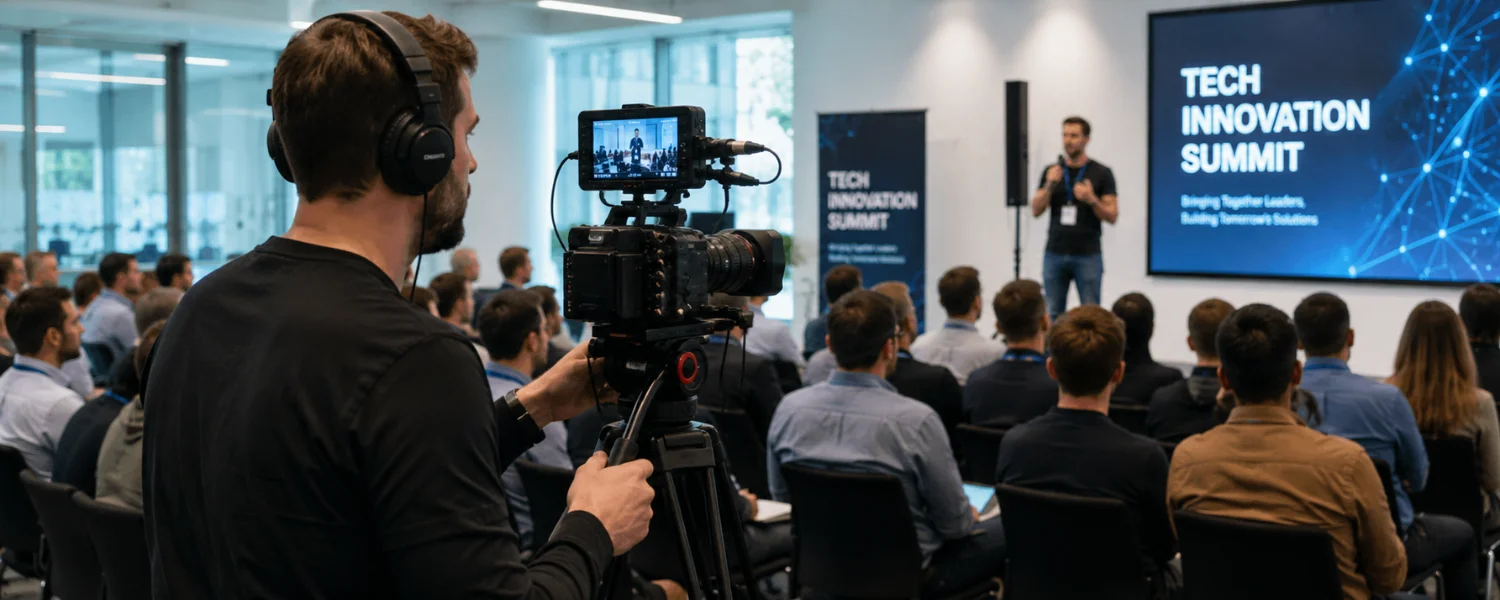
Two angles elevate everything. Lock off a wide to protect key moments and run a tighter roaming camera for reactions and details. Sync cameras with timecode or audio slates to simplify multicam editing and increase your creative options in post.
18) Avoid filming toward screens; control flicker
Projectors and LED walls can strobe on camera. When possible, adjust positions to avoid direct screen shots. If you must include screens, match shutter to local power frequency (1/50 in 50Hz regions; 1/60 in 60Hz regions) and use fine “flicker-free” or “sync scan” settings to dial out banding.
19) Capture a variety of shots and sequences
Diverse coverage keeps edits alive. Mix wides to set context, mediums for interactions, tights for emotion, and macro details for texture—lanyards, signage, badges, and hands-on demos. Build three-to-five shot sequences you can intercut smoothly.
- Use motivated camera moves—pans, tilts, and slides—with intent, not habit.
- Record a few seconds of static tail at the end of each clip for transition flexibility.
20) Shoot with editing in mind
Think transitions and story beats as you roll. Capture lead-ins and cutaways for L-cuts and J-cuts, and shoot clean plates if you'll composite graphics later. Keep brands front and center with tasteful product and sponsor moments woven into the narrative.
21) Capture different emotions and authentic moments
Emotion makes event videos memorable. Look for anticipation before sessions, energy during applause, thoughtful faces during panels, and warm interactions at booths. Ask for quick testimonials while excitement is high—authenticity lands better than scripts.
22) Always capture audio—multiple sources
Even if you think you won't use it, record ambient and room tone. Run an independent recorder on the lectern mic, place a lav on the presenter when possible, and keep a backup shotgun ambient track on each camera. Redundancy protects your story when feeds fail.
23) Compose for clarity: eyelines, layers, and light
Good composition speeds understanding. Keep eyelines at one-third height, add foreground elements for depth, and separate subjects from busy backgrounds with light and lens choice. Watch for exit signs, cluttered signage, and distracting backlights.
24) Maintain professionalism and be unobtrusive
Your conduct matters as much as your craft. Move quietly, ask before blocking views, and coordinate with floor managers for close-ups or onstage proximity. A courteous approach builds credibility and future referrals.
25) Manage power, media, and heat
Live days are long. Rotate batteries on a charging schedule, record to dual cards when available, and avoid camera overheating by giving bodies rest when not rolling. Label cards, wrap cables safely, and document where your best angles are for quick returns.
26) Live stream and hybrid essentials
If streaming, stabilize your pipeline. Use a hardware encoder with RTMP, dedicated bandwidth or bonded cellular, and a failover plan. Capture ISO records of cameras and slides locally for high-quality edits afterward, and test platform audio loudness before going live.
After the Event: Edit for Energy, Brand, and Accessibility
27) Offload and back up footage safely
Protect the work immediately. Use checksum or verified copy tools, organize by camera/day/session, and follow a 3-2-1 backup rule (three copies, two media types, one offsite/cloud). Create proxies for smoother edits on heavier codecs.
28) Organize, sync, and create selects
Structure accelerates creativity. Sync multicam with timecode or waveform, tag best takes, and mark standout soundbites. Build a stringout by theme—keynotes, reactions, demos—then refine into the final arc aligned to your core message.
29) Vary the pacing of your edit
Match the rhythm to the room. Open with energy, breathe during thought leadership, and accelerate again through highlights. Use speed ramps, rhythmic cuts, and strategic pauses to keep viewers engaged from first frame to CTA.
30) Polish transitions and motion graphics
Transitions should feel intentional, not flashy. Favor motivated cuts, clean dissolves, and in-camera movement matches. Elevate polish with branded lower thirds, animated title cards, subtle overlays, and tasteful sponsor bumpers that respect readability on mobile.
31) Tell an interesting, on-brand story
Craft a narrative with a beginning, build, and satisfying close. Weave interviews through your B-roll to connect segments and reinforce the event's purpose. Add small surprises—reveals, humor, or inventive cutaways—that leave a lasting impression without distracting from the brand.
32) Mix audio, color grade, and add captions
Sound, color, and accessibility complete the job. Clean dialogue with EQ and noise reduction, mix music beneath -20 to -16 LUFS integrated for web, and keep peaks under -1 dBTP. Apply a consistent grade (LUTs if using log), match skin tones, and include closed captions and transcripts for accessibility and silent autoplay.
33) Deliver, distribute, and measure ROI
Export masters and platform-optimized versions: 4K/1080p 16:9, 1:1, 4:5, and 9:16 H.264/H.265 with correct bitrates. Supply clean and captioned files, thumbnail options, and copy suggestions. Publish with UTM-tagged links, add YouTube chapters and SEO keywords, and review analytics (view-through, CTR, watch time, conversions) to report impact and inform the next event.
Putting It All Together
Filming corporate events takes technical precision, creative storytelling, and thoughtful partnership with your client's goals. By aligning early, planning smart coverage, recording clean audio, and editing with energy and brand in mind, you'll deliver videos that showcase culture and value—and keep you first on the list for the next big moment.