21 Proven Low‑Light Photography Tips for Crisp, Color‑True Shots
Key Takeaways
- You’ll learn exactly how to balance aperture, shutter speed, and ISO in dim scenes to keep images sharp while controlling noise and motion blur.
- You’ll master stabilization techniques—from tripods and timers to handholding hacks and in‑camera VR/IS/IBIS—to beat camera shake at slow shutter speeds.
- You’ll fix low‑light color problems fast by dialing in white balance presets or Kelvin values and using RAW to recover natural tones later.
- You’ll get smartphone‑specific strategies, including Night mode, AE/AF lock, and mini tripods, to capture great low‑light shots without flash.
- You’ll avoid common pitfalls like LED banding and clipped highlights by using anti‑flicker settings, histograms, and exposure warnings.
Great photos don't wait for perfect light. Whether you're documenting a school play, a cozy family dinner, or city lights at night, you can create sharp, vibrant images without blasting a bright flash. Use the proven settings, stabilization methods, and creative techniques below to turn low light into a strength—on any camera or smartphone.
Proven Ways to Capture Great Photos in Low Light (Without Flash)
1. Embrace a wide aperture
When light is scarce, a larger aperture lets more light reach the sensor. Choose a lower f‑stop like f/1.4, f/1.8, f/2, or f/2.8; even moving from f/5.6 to f/2.8 adds two full stops of light. You'll gain brightness and speed but lose depth of field, so focus carefully on the subject's eye in portraits and be mindful of background blur.
- Start points: portraits f/1.8–f/2.8; group shots f/2.8–f/4 for a bit more depth.
- Tip: On zooms, use the widest end (e.g., f/2.8 on a 24–70mm) to maximize light.
2. Boost ISO settings (and manage the noise)
ISO controls your camera's light sensitivity. Higher values (ISO 400–3200+) brighten exposures and enable faster shutter speeds, but can add image noise. Lower values (ISO 100–200) look cleaner yet require more light or longer exposures. Modern sensors handle ISO 1600–6400 surprisingly well—don't fear raising ISO to keep shutter speeds fast enough to freeze people.
- Noise with purpose: Grain can add mood. Printing on textured materials like wood blocks or classic silver metal can soften minor noise and look striking.
- Use RAW to apply targeted noise reduction later without crushing detail.
3. Use a slow shutter speed with stabilization
Longer shutter speeds gather more light but also magnify camera shake. Stabilize to keep photos sharp: mount a reliable tripod, use a 2‑second timer or remote release, and enable in‑body or lens stabilization when handholding. Brands label it differently—Nikon VR, Canon IS, Sony SteadyShot/IBIS, Fujifilm OIS—but the goal is the same: reduce blur.
- Tripod tip: Turn off stabilization when locked down to avoid micro‑jitters.
- Handheld help: Exhale gently and press the shutter at the end of your breath.
4. Introduce external light sources
Flat, dull light becomes dimensional with a little help. A portable reflector bounces window or street light back onto faces for softer, more flattering portraits. Small LED panels or even a phone flashlight through a white napkin can add catchlights and lift shadows without a harsh flash.
- Creative tweak: Use gels on LEDs to match indoor tungsten (≈3200K) or daylight (≈5600K) and avoid weird color casts.
5. Find brighter spots for your subjects
Sometimes the easiest fix is moving your subject. Position people near a window, doorway, street sign, or shopfront glow. Aim to keep light direction consistent and avoid mixed lighting (e.g., tungsten + fluorescent) which complicates color.
- Look for “natural softboxes”: open shade, north‑facing windows, or white walls.
6. Invest in fast lenses
If you regularly shoot in low light, a fast lens is a game changer. “Fast” means a wide maximum aperture like f/1.4, f/1.8, or f/2.8, letting in far more light for brighter, cleaner images and faster shutter speeds. Affordable primes such as a 50mm f/1.8 or 35mm f/1.8 deliver excellent results and strong autofocus in dim scenes.
- Event MVPs: 24–70mm f/2.8 and 70–200mm f/2.8 for flexibility with speed.
7. Master white balance settings
Low light often skews color—yellow from tungsten bulbs, green from fluorescents, blue from shade. Correct it by choosing a preset (Tungsten/Incandescent, Fluorescent, Shade) or dialing Kelvin manually (≈2800–3400K for warm indoor bulbs, ≈5200–5600K daylight). This tells your camera what “white” should be for more accurate, vibrant color.
- Mixed light? Prioritize faces. If you shoot RAW, you can fine‑tune later.
- Pro move: Use a gray card to set a custom white balance on location.
8. Get creative with black and white
When colors fight you, lean into mood. Black‑and‑white emphasizes light, shadow, and texture, turning high‑ISO grain into classic character. It's a powerful choice for stage performances, night streets, and candlelit moments.
- Think in contrast: Position your subject against brighter or darker backgrounds for instant drama.
9. Shoot in RAW format
RAW files keep the full data your sensor captured, giving you more latitude to rescue shadows, tame highlights, correct color, and reduce noise without banding or artifacts. On phones, enable ProRAW/RAW in your camera app when possible for similar flexibility.
- Tip: 14‑bit RAW (where available) preserves delicate tones in dim scenes.
10. Post‑processing techniques (with real‑world expectations)
Editing can elevate a good low‑light photo but won't miracle‑fix a missed shot. Use noise reduction sparingly, add contrast and clarity to restore bite, adjust shadows/highlights to balance exposure, and consider a monochrome conversion when colors are messy. Aim to enhance, not over‑polish.
- Software to try: Lightroom, Capture One, DxO PureRAW/PhotoLab, ON1 NoNoise, Topaz Denoise/Photo AI.
11. Experimentation and dedicated practice
Low‑light skill grows with repetition. Start on static subjects to dial in settings, then add motion—kids, pets, street life. If a technique doesn't work, adjust and try again. With consistent practice you'll confidently create crisp, clear shots—no flash required.
- Build muscle memory: Practice one variable at a time—aperture, then shutter, then ISO.
12. Balance the exposure triangle with intent
Aperture, shutter speed, and ISO work together. Decide your priority first: freeze motion (choose shutter speed), maximize background blur (choose aperture), or minimize noise (choose lowest ISO possible). Then adjust the other two to complete the exposure.
- Example: Indoor dance recital → set 1/250s to freeze movement, open to f/2, raise ISO until exposure is right.
13. Use the histogram and exposure warnings
Dim scenes with bright highlights (street lamps, stage lights) can fool meters. Enable the histogram and highlight warnings (“blinkies”/zebra) to avoid clipping. Gently “expose to the right” (ETTR) without blowing highlights; cleaner shadows mean lower visible noise later.
- Tip: Dial −0.3 to −1 EV exposure compensation for high‑contrast stages to save highlights.
Nail focus in the dark
Autofocus slows in low light. Use a single AF point on your subject's eye, switch to AF‑S/One Shot for portraits or AF‑C/AI‑Servo for moving subjects, and consider back‑button focus. If AF hunts, use a small LED/phone light to assist, then recompose—or switch to manual focus with magnification and focus peaking.
- Quiet trick: Prefocus on a mark under brighter light, then wait for your subject to hit that plane.
15. Set a minimum shutter speed to freeze people
Camera shake and subject motion are different. Even with stabilization, people blur if your shutter is too slow. For kids and casual movement, aim for 1/125–1/250s; for active play, 1/500s+. Use Auto ISO with a minimum shutter speed so the camera raises ISO instead of dropping shutter too low.
- Handheld rule of thumb: Use a shutter speed at least 1/(focal length × crop factor). Go faster on high‑resolution sensors.
16. Stabilize without a tripod
No tripod? Brace your body and camera. Lean on a wall, sit and rest elbows on knees, or press the camera down onto a table. Pull the camera strap taut around your neck for extra tension and shoot in short bursts; often one frame in the burst will be tack sharp.
- Use a 2‑second timer to avoid jab‑induced shake when pressing the shutter.
17. Tame flicker and banding from LEDs
Modern LED and fluorescent lights can cause dark bands at certain shutter speeds. Enable Anti‑Flicker/Var. Shutter (if available) or choose shutter speeds that match local mains frequency multiples (50 Hz regions: 1/50, 1/100; 60 Hz regions: 1/60, 1/120).
- Phone tip: If banding appears, lower shutter (in Pro mode) or slightly adjust frame rate in video.
18. Leverage your smartphone's night power
Today's phones excel in dim light. Use Night mode, hold steady (prop on a railing or mini tripod), and tap to set focus and exposure; long‑press to AE/AF lock. Avoid digital zoom—step closer or crop later—and shoot RAW/ProRAW/HEIF Max where available for better editing latitude.
- Small light, big results: A clip‑on LED or a friend's phone light bounced off a wall can transform a portrait.
19. Try long‑exposure creativity
Low light invites play. Use multi‑second exposures for silky water, traffic light trails, or ghosted crowds. Stop down to f/8–f/11 for starburst effects on streetlights, and keep ISO low for clean files.
- Safety first: Be visible near roads and avoid trespassing while chasing light trails.
20. Mix flash with ambient the smart way (if you choose)
Prefer to avoid a bright flash? If you must use one, make it subtle. Bounce the flash off a ceiling/wall, diffuse it, and use slow‑sync/rear‑curtain sync to keep ambient glow while adding a gentle pop that freezes your subject.
- “Drag the shutter”: Set 1/30–1/60s with low flash power to balance scene and subject gracefully.
21. Advanced noise reduction: stacking and dark frames
For static scenes, shoot a burst of identical frames and median‑stack them in software to average out noise while retaining detail. For very long exposures, in‑camera Long Exposure NR (dark‑frame subtraction) can reduce hot pixels—just note it doubles processing time.
- In Lightroom: Start with Luminance NR 10–30, Detail 50, Contrast 0–10; adjust by image.
Quick starting points for common low‑light moments
- Indoor family portraits by a window: Aperture f/2–f/2.8, Shutter 1/160s, ISO 400–1600, WB “Tungsten” or 3500–4000K if warm bulbs are present.
- School play or recital: Aperture f/2.8 (faster if possible), Shutter 1/250–1/500s, ISO 1600–6400, Exposure Compensation −0.3 to −1 EV to protect highlights.
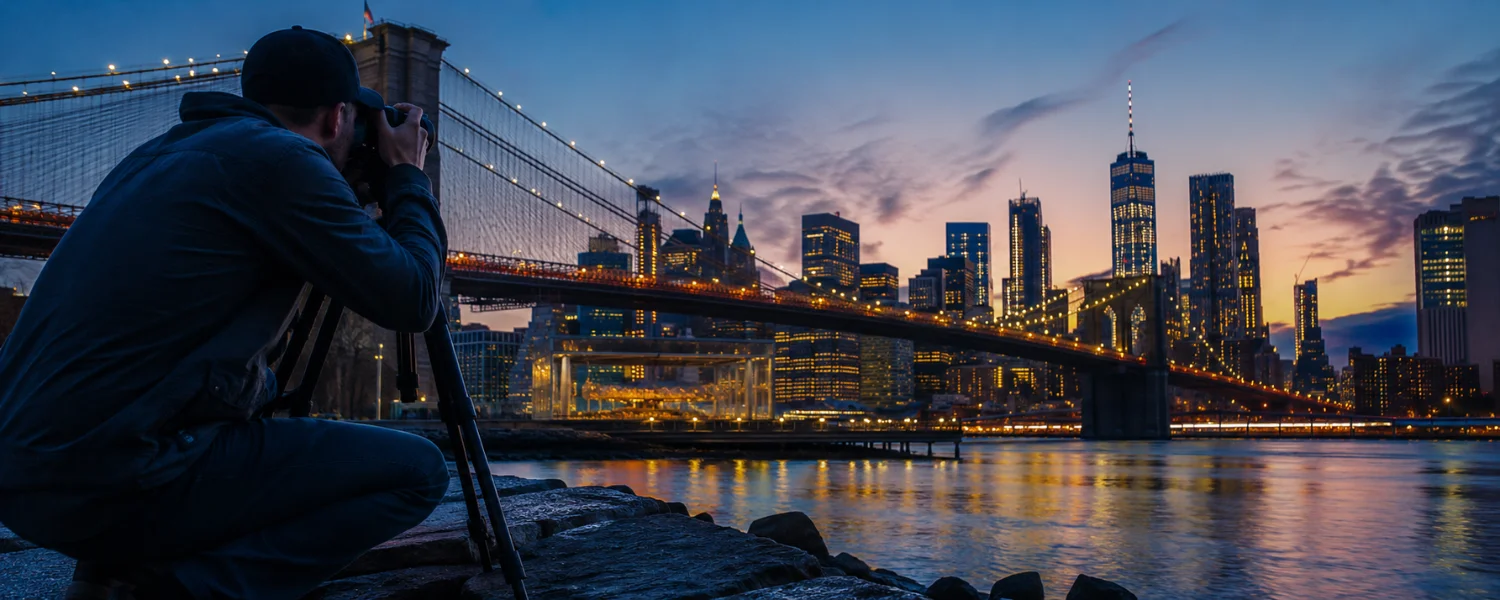
- City nightscape on tripod: Aperture f/8–f/11, Shutter 5–20s, ISO 100–200, WB 3200–4000K for neutral city lights; use 2‑sec timer.
- Holiday lights portrait: Aperture f/1.8–f/2, Shutter 1/125s, ISO 800–3200, WB 2800–3500K; add a small bounced LED for catchlights.
- Smartphone Night mode: Brace phone, tap and hold to lock exposure, avoid moving subjects, and let the phone finish its multi‑frame capture.
Gear that quietly boosts your results
- Fast primes: 35mm f/1.8, 50mm f/1.8—affordable, bright, and sharp.
- Stabilization: Tripod or compact travel tripod; remote or Bluetooth release; in‑body/lens stabilization.
- Light shapers: 5‑in‑1 reflector, small bi‑color LED panel with diffuser, a few gels.
- Phone accessories: Mini tripod, cold‑shoe clamp, pocket LED.
Polished, reader‑friendly versions of the original tips
To master photography, it is important to understand how to work with your camera and your surroundings. Often, the lighting conditions can't be perfect, but with the right technique, you can turn even the lowest light into stunning images. In this guide, we've explored effective ways to take great low‑light photos without relying on a bright flash—opening your aperture, balancing ISO, stabilizing your camera, adding or finding better light, using fast lenses, dialing in white balance, embracing black and white, shooting in RAW, editing with purpose, and practicing deliberately until it all feels natural.